
NOW SHOWING · 3,064 CATEGORIES
Every hidden genre is just a number away.
Netflix sorts its catalog into thousands of tiny genres you'll never see on the home screen. This free Chrome extension lets you search them, save your favorites, and open any of them in one click.
- Storage-only permission
- No tracking or accounts
- GPLv3 open source
Try a mood, a format, or a code. Results link straight to Netflix.
HOW IT WORKS
A tidy remote for Netflix's secret menu.
- 1
Add it to Chrome
Install from the Chrome Web Store and pin it to your toolbar.
- 2
Find a genre
Browse 24 groups or search by name or code. Nothing is fetched while you search.
- 3
Start watching
Open the genre on Netflix, signed in as usual. What you see depends on your region.
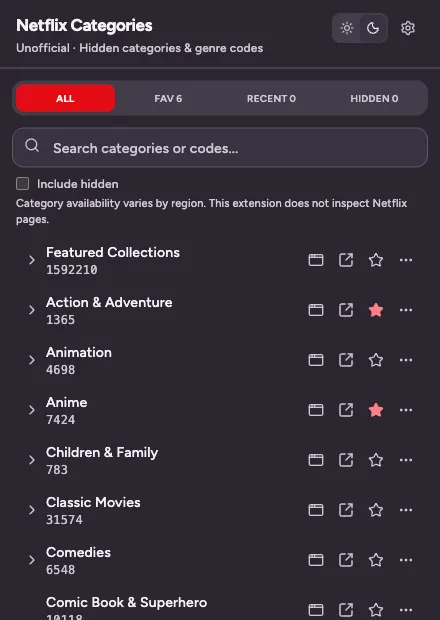
01 / SEARCH
Search names or codes
Type "zombie" or "1515" and the matching genres appear as you type. The whole catalog ships inside the extension.
02 / SAVE
Favorites, recents, hidden
Star the genres you come back to, hide the ones you never watch, and find your last ten picks in one place.
03 / OPEN
One click to Netflix
Open a genre in the current tab or a new one, or copy its code or link to share with someone.
04 / OWN IT
Your lists stay local
Export your settings to a file, import them on another computer, or reset everything from Options.
INSIDE THE EXTENSION
Small enough for the toolbar. Fast enough to browse on a whim.
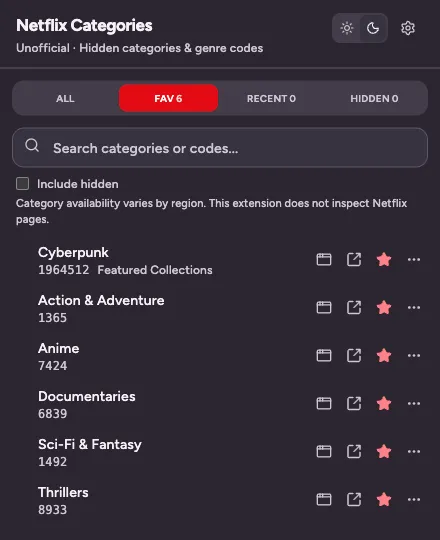
Favorites keep your go-to genres one click away. 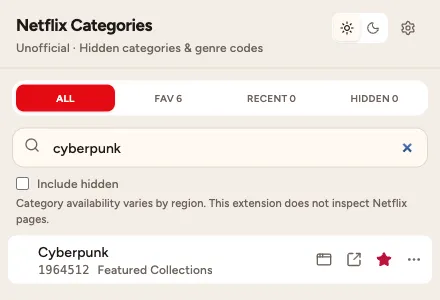
Search by name or number, in light or dark. 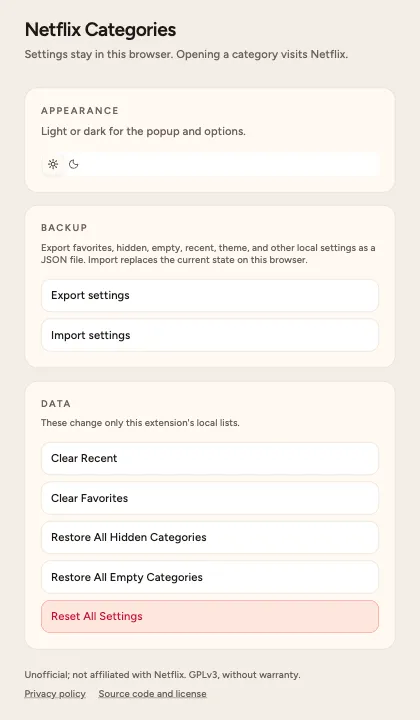
Back up, restore, or reset your lists in Options.
PRIVACY
It doesn't watch what you watch.
The extension never reads Netflix pages, cookies, your account, or your viewing history. Read the privacy policy or inspect the source.
One permission
Chrome's storage permission, to remember your lists. No site access, no content scripts, no background worker.
Nothing to phone home
No analytics, ads, accounts, or servers. The catalog ships inside the extension, so searches never leave your browser.
Source you can check
Every release is tagged on GitHub under GPLv3, with the lockfile and build steps to reproduce the store package.
QUESTIONS
Good to know
What are Netflix genre codes?
Netflix groups titles into thousands of small categories, like Campy Zombie Movies or Feel-good Spy Movies. Each one has a number. Visiting netflix.com/browse/genre/ followed by that number opens the category directly, even if it never shows up on your home screen.
Is this made by Netflix?
No. Categories for Netflix is an independent, open-source project. It is not affiliated with, endorsed by, or sponsored by Netflix.
Why is a category empty or missing titles?
Netflix's catalog changes by country and over time, so a code that is full in one region can be empty in another. The extension does not unlock titles or change your region.
What does the extension have access to?
Only Chrome's storage permission, used to keep your favorites, hidden genres, recents, and theme in your browser. It does not read Netflix pages, cookies, your account, or your browsing history.
Does it cost anything?
No. It is free and licensed under GPLv3. The source code is on GitHub, and you can build the same package yourself.
3,064 genres. Zero scrolling past the same ten rows.
Free on the Chrome Web Store, with nothing to sign up for.